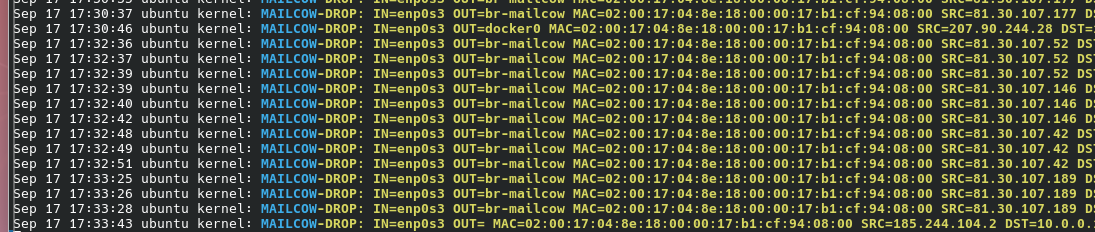
There are numerous steps, so I will try to break it down. Some of the dynamic logging/dropping portion of the script was generated by gemini. No love for ai, but it was helpful. I made sure to try to understand each step and adjust as needed for my needs.
Vps detail
- Debian trixie installed from iso
- 6GB ram
- 5 vcore
- 100gb storage
- public ip
UFW installed and configured to allow the following
- full access - home ip/mailcow relay target
- 172.22.1.0/24 subnet access to host port 25
-
- home ip forward to ports 443/587
- any ip forward to port 25
#ufw status
To Action From
-- ------ ----
25/tcp ALLOW 172.22.1.0/24
Anywhere ALLOW {HOME IP}
443/tcp ALLOW FWD {HOME IP}
587/tcp ALLOW FWD {HOME IP}
25/tcp ALLOW FWD Anywhere
To get mailcow/docker to work with ufw some additions needed to be made to /etc/ufw/after.rules based onhttps://github.com/chaifeng/ufw-docker?tab=readme-ov-file#solving-ufw-and-docker-issues
Specifically, addition of these lines to the bottom of the file. Note, this is not the final version, some changes were needed to get everything working. I will post the final additions later in this post.
# BEGIN UFW AND DOCKER
*filter
:ufw-user-forward - [0:0]
:ufw-docker-logging-deny - [0:0]
:DOCKER-USER - [0:0]
-A DOCKER-USER -j ufw-user-forward
-A DOCKER-USER -m conntrack --ctstate RELATED,ESTABLISHED -j RETURN
-A DOCKER-USER -m conntrack --ctstate INVALID -j DROP
-A DOCKER-USER -i docker0 -o docker0 -j ACCEPT
-A DOCKER-USER -j RETURN -s 10.0.0.0/8
-A DOCKER-USER -j RETURN -s 172.16.0.0/12
-A DOCKER-USER -j RETURN -s 192.168.0.0/16
-A DOCKER-USER -j ufw-docker-logging-deny -m conntrack --ctstate NEW -d 10.0.0.0/8
-A DOCKER-USER -j ufw-docker-logging-deny -m conntrack --ctstate NEW -d 172.16.0.0/12
-A DOCKER-USER -j ufw-docker-logging-deny -m conntrack --ctstate NEW -d 192.168.0.0/16
-A DOCKER-USER -j RETURN
-A ufw-docker-logging-deny -m limit --limit 3/min --limit-burst 10 -j LOG --log-prefix "[UFW DOCKER BLOCK] "
-A ufw-docker-logging-deny -j DROP
COMMIT
# END UFW AND DOCKER
BACKUP YOUR SYSTEM FIRST!!!! NOT RESPONSIBLE FOR ANY DATA LOSS BY IMPLEMENTING THESE STEPS
Steps of the process.
1) Determine what ports are to be monitored.
- I used nnap’s top 1000 ports as a guideline -
nmap -oX -
2) Convert output from #1 to 1 port per line, preceded with add ports so output can be directly imported to ipset. This can all probably be combined into a single command. I used copy/paste in ssh. Importing this list is faster than generating it each time from scratch. Be sure to exclude port 25!!!
echo "1,3-4,6-7" | tr ',' '\n' | awk -F'-' '{if($2) for(i=$1;i<=$2;i++) print "add ports " i; else print "add ports " $1}' > 1000topports.ipsetbackup
3) Main script that preloads a number of ip’s from several block lists, sets up the necessary iptables rules, adds whitelisted ip’s from ufw’s allow list, and enables option to log. Same script is run once a day to update the block list from the embedded url’s. This had lots of AI input 🙁.
For ease of readability - https://pastebin.com/iNyX98FC
#!/bin/bash
CMDPATH="/usr/sbin"
SET_NAME="scanners"
PORT_SET="ports"
PORT_FILE="/root/ipset/1000topports.ipsetbackup" # Create this file with one port per line
TIMEOUT=86400 # 24 hours
TMP_RESTORE="/tmp/scanners.txt"
WHITELIST_SET="whitelist"
# 1. Initialize Sets
# The main scanner blacklist
$CMDPATH/ipset create $SET_NAME hash:net timeout $TIMEOUT maxelem 100000 -!
# The temporary swap set
$CMDPATH/ipset create ${SET_NAME}-temp hash:net timeout $TIMEOUT maxelem 100000 -!
# The bait port set (bitmap is more memory efficient for ports 0-65535)
$CMDPATH/ipset create $PORT_SET bitmap:port range 0-65535 -!
$CMDPATH/ipset create whitelist hash:net -!
$CMDPATH/ipset flush $WHITELIST_SET
# 2. Sync Bait Ports from File (High-Performance Restore)
if [[ -f "$PORT_FILE" ]]; then
{
echo "flush $PORT_SET"
cat "$PORT_FILE"
} | $CMDPATH/ipset restore
echo "Bait ports restored from $PORT_FILE."
else
echo "Warning: $PORT_FILE not found."
fi
# 3. Gather External IPs and Format for Restore
echo "Fetching external scanner lists..."
{
echo "create ${SET_NAME}-temp hash:net timeout $TIMEOUT maxelem 100000 -!"
echo "flush ${SET_NAME}-temp"
# BinaryEdge
/usr/bin/curl -s --connect-timeout 10 https://api.binaryedge.io/v1/minions | jq -r ".scanners[] | \"add ${SET_NAME}-temp \" + ." 2>/dev/null
#from https://github.com/palinkas-jo-reggelt/List_of_Internet_Scanner_IPs
/usr/bin/curl -s --connect-timeout 10 https://raw.githubusercontent.com/palinkas-jo-reggelt/List_of_Internet_Scanner_IPs/refs/heads/main/Scanner_IP_ranges.txt | awk '{print "add '"${SET_NAME}"'-temp " $0}'
# Static Known Scanners & Research Orgs
# Formatting these into a loop to generate 'add' commands
# Censys ips below https://docs.censys.com/docs/opt-out-of-data-collection
while read -r cidr; do
[[ -n "$cidr" && ! "$cidr" =~ ^# ]] && echo "add ${SET_NAME}-temp $cidr"
done <<EOF
66.132.153.0/24
66.132.159.0/24
66.132.172.0/24
66.132.148.0/24
162.142.125.0/24
167.94.138.0/24
167.94.145.0/24
167.94.146.0/24
167.248.133.0/24
167.94.138.0/24
199.45.154.0/24
199.45.155.0/24
206.168.32.0/24
206.168.33.0/24
206.168.34.0/24
206.168.35.0/24
EOF
} > "$TMP_RESTORE"
# 4. Load into Temp and Swap
$CMDPATH/ipset flush ${SET_NAME}-temp
$CMDPATH/ipset restore < "$TMP_RESTORE"
$CMDPATH/ipset swap $SET_NAME ${SET_NAME}-temp
$CMDPATH/ipset destroy ${SET_NAME}-temp
rm $TMP_RESTORE
# 5. Ensure Iptables Rules Exist (The Shield and The Trap)
# A. THE LOG: Only trigger if the IP is NOT already in the scanners set
##### 20260203 commented the logging lines below (from if to fi).
#if ! $CMDPATH/iptables -C INPUT -p tcp -m set --match-set $PORT_SET dst -m state --state NEW \
# -m set ! --match-set $SET_NAME src -j LOG --log-prefix "[HONEYPOT-NEW] " --log-level 4 2>/dev/null; then
# $CMDPATH/iptables -I INPUT 1 -p tcp -m set --match-set $PORT_SET dst -m state --state NEW \
# -m set ! --match-set $SET_NAME src -j LOG --log-prefix "[HONEYPOT-NEW] " --log-level 4
#fi
# Catch connections to the bait ports
if ! $CMDPATH/iptables -C INPUT -p tcp -m set --match-set $PORT_SET dst -m state --state NEW -j SET --add-set $SET_NAME src --exist --timeout $TIMEOUT 2>/dev/null; then
$CMDPATH/iptables -A INPUT -p tcp -m set --match-set $PORT_SET dst -m state --state NEW -j SET --add-set $SET_NAME src --exist --timeout $TIMEOUT
fi
# Final Drop rule for those ports
if ! $CMDPATH/iptables -C INPUT -p tcp -m set --match-set $PORT_SET dst -j DROP 2>/dev/null; then
$CMDPATH/iptables -A INPUT -p tcp -m set --match-set $PORT_SET dst -j DROP
fi
echo "Sync complete. Blocked: $($CMDPATH/ipset list $SET_NAME | grep -i "Number of entries" | awk '{print $4}')"
4) My final after.rules additions to the default file. Note interface specified for #2.
#docker additions below 20260127 21:31
# BEGIN UFW AND DOCKER
*filter
:ufw-user-forward - [0:0]
:ufw-docker-logging-deny - [0:0]
:DOCKER-USER - [0:0]
# 1. ALWAYS allow existing traffic first (Performance & Stability)
-A DOCKER-USER -m conntrack --ctstate RELATED,ESTABLISHED -j RETURN
# 2. THE SHIELD: Block the industrial-scanners set here
-A DOCKER-USER -i ens3 -m set ! --match-set whitelist src -m set --match-set scanners src -j DROP
# 3. Explicitly allow internal Docker-to-Host/Docker-to-Docker
-A DOCKER-USER -s 172.16.0.0/12 -j RETURN
-A DOCKER-USER -s 10.0.0.0/8 -j RETURN
# 3. Your existing logic
-A DOCKER-USER -j ufw-user-forward
-A DOCKER-USER -m conntrack --ctstate RELATED,ESTABLISHED -j RETURN
-A DOCKER-USER -m conntrack --ctstate INVALID -j DROP
-A DOCKER-USER -i docker0 -o docker0 -j ACCEPT
-A DOCKER-USER -j RETURN -s 10.0.0.0/8
-A DOCKER-USER -j RETURN -s 172.16.0.0/12
-A DOCKER-USER -j RETURN -s 192.168.0.0/16
-A DOCKER-USER -j ufw-docker-logging-deny -m conntrack --ctstate NEW -d 10.0.0.0/8
-A DOCKER-USER -j ufw-docker-logging-deny -m conntrack --ctstate NEW -d 172.16.0.0/12
-A DOCKER-USER -j ufw-docker-logging-deny -m conntrack --ctstate NEW -d 192.168.0.0/16
-A DOCKER-USER -j RETURN
#-A ufw-docker-logging-deny -m limit --limit 3/min --limit-burst 10 -j LOG --log-prefix "[UFW DOCKER BLOCK] "
-A ufw-docker-logging-deny -j DROP
COMMIT
# END UFW AND DOCKER
I chose not to enable logging. There’s a ton of internet noise all the time. I suppose if you’re piping the log to something that can give you trends then it might be worthwhile.
After initial priming of the scanners list, you can do ipset list scanners | wc to get a count. It starts around 2700. So anything over that number are new ip’s added to the block list.
Good luck!